We’re excited to announce that Theta Wallet for iOS and Android now supports WalletConnect!
WalletConnect is an open source protocol for connecting decentralized applications (DApps) to mobile wallets with QR code scanning or deep linking. With WalletConnect, DApp developers no longer need to be forced to use Metamask. Their users can now use their mobile Theta Wallet to connect, sign messages (logins), and even sign smart contract transactions, all while maintaining the security of their Theta Wallet assets. This means no need to transfer your wTHETA, TFUEL, or TNT20 tokens out of your Theta Wallet just to interact with DApps. Developers can find docs to get started here on the Theta Docs site.
You can use WalletConnect with any Theta ecosystem DApp, but for our walkthrough we’ll show an example through ThetaSwap DEX.
ThetaSwap Example
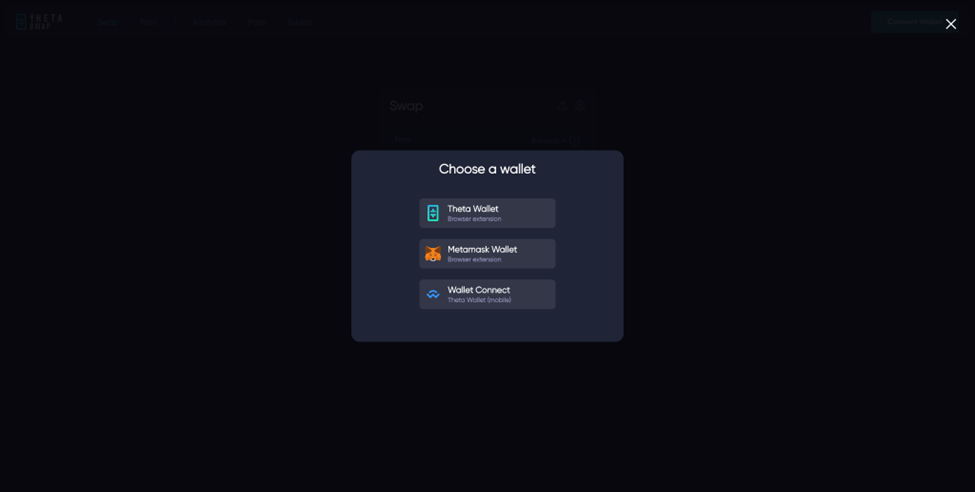
Choose WalletConnect to launch the QR Code to scan.
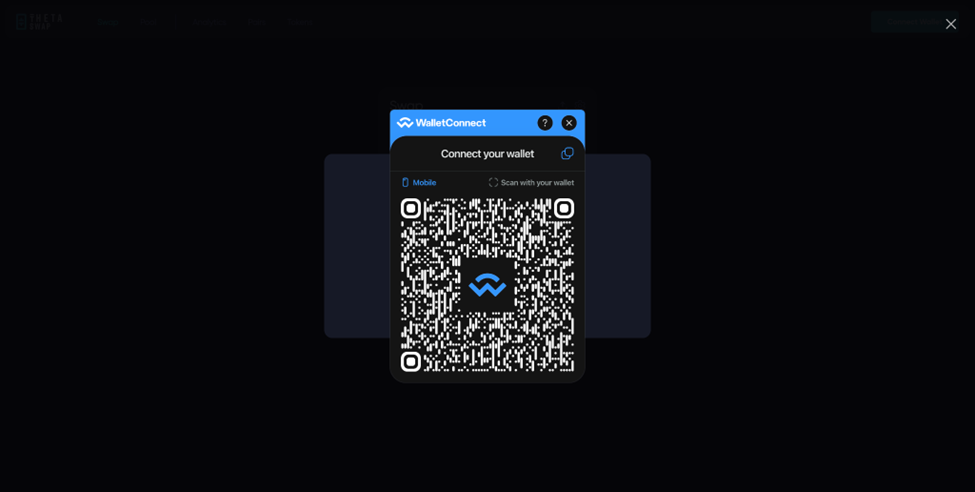
The WalletConnect QR code will appear. Scan this QR code with your iPhone camera app OR within the Theta Wallet mobile app.
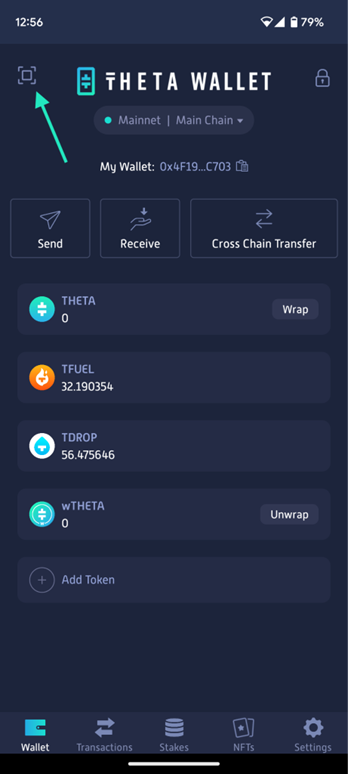
To scan a WalletConnect QR Code, use the QR Scan button on the top left of your Theta Wallet home screen.
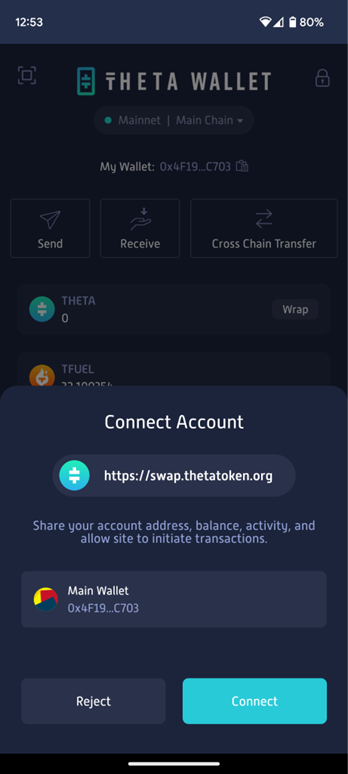
Once you scan the QR code, your Theta Wallet will ask you to confirm if you want to share your wallet address with the DApp and ultimately establish a secure connection with the website or app.
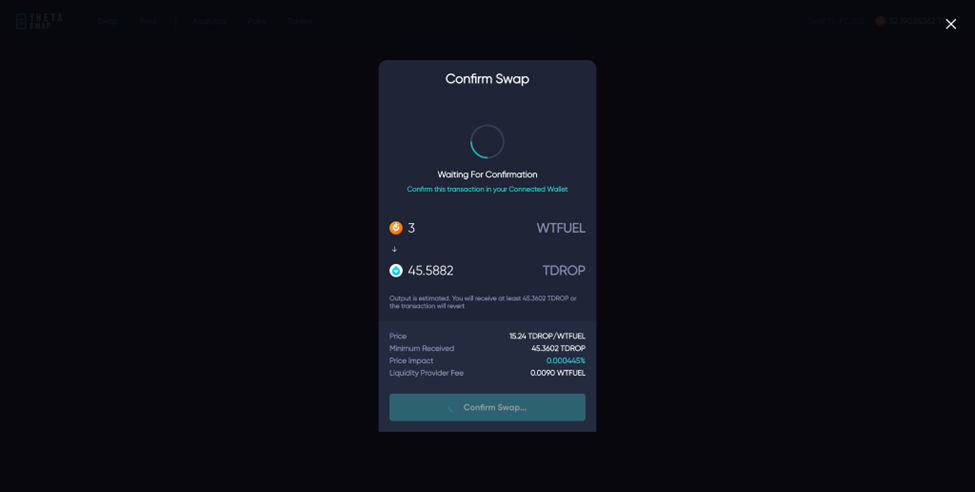
Once the DApp is connected to your Theta Wallet via WalletConnect, you can send smart contract transactions and each transaction request will require your explicit approval inside the Theta Wallet.
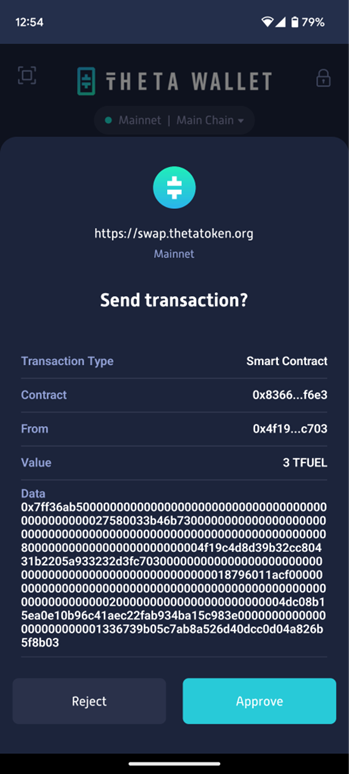
Press Approve to send the smart contract transaction and the DApp will react to the result.
We are excited for WalletConnect to open the doors to new DApp flows right from your Theta Wallet!